Every coding agent,
one window.
Shebang runs Claude Code, Codex, OpenCode and Gemini side by side, each in its own worktree, and tells you which one needs you.
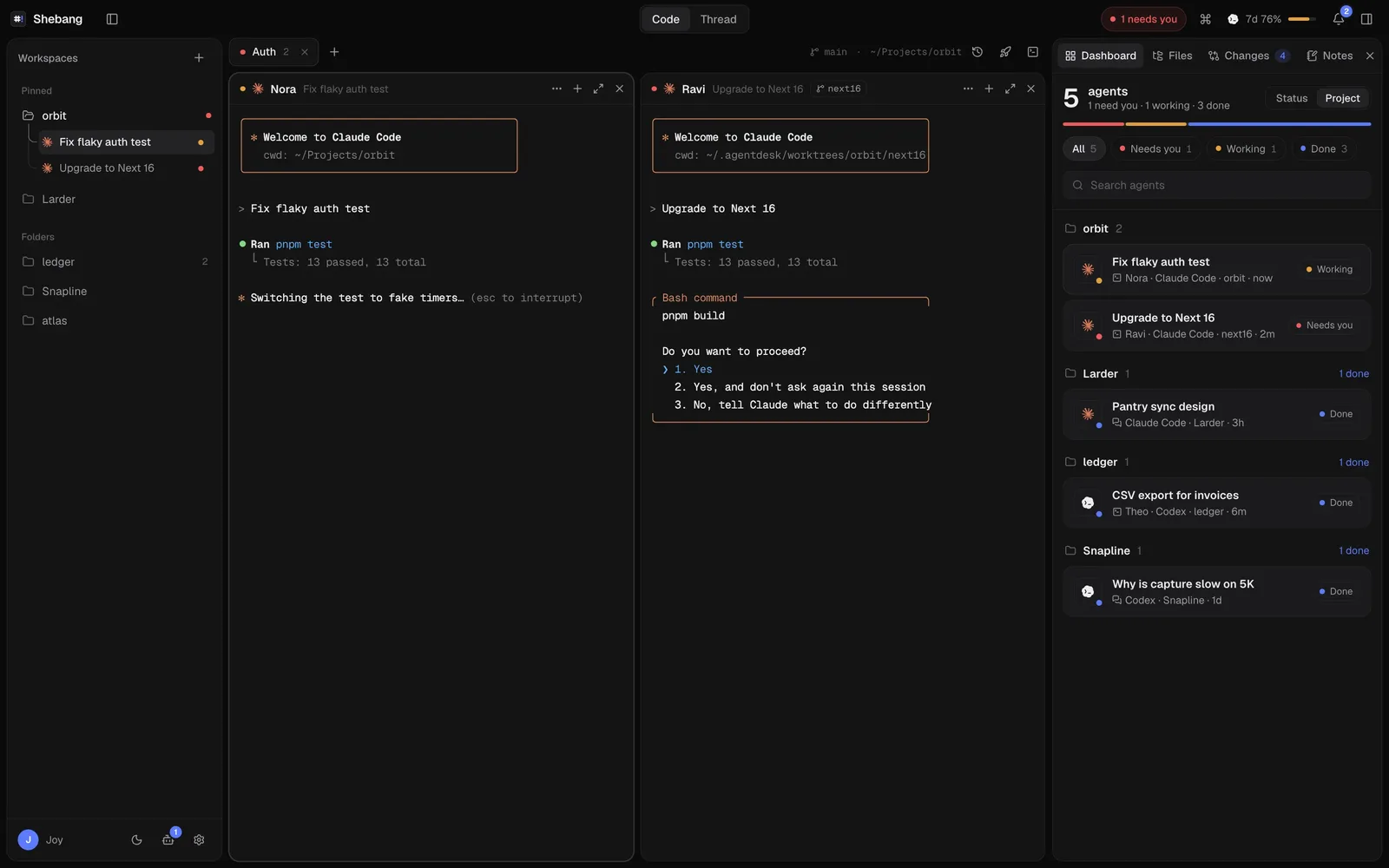
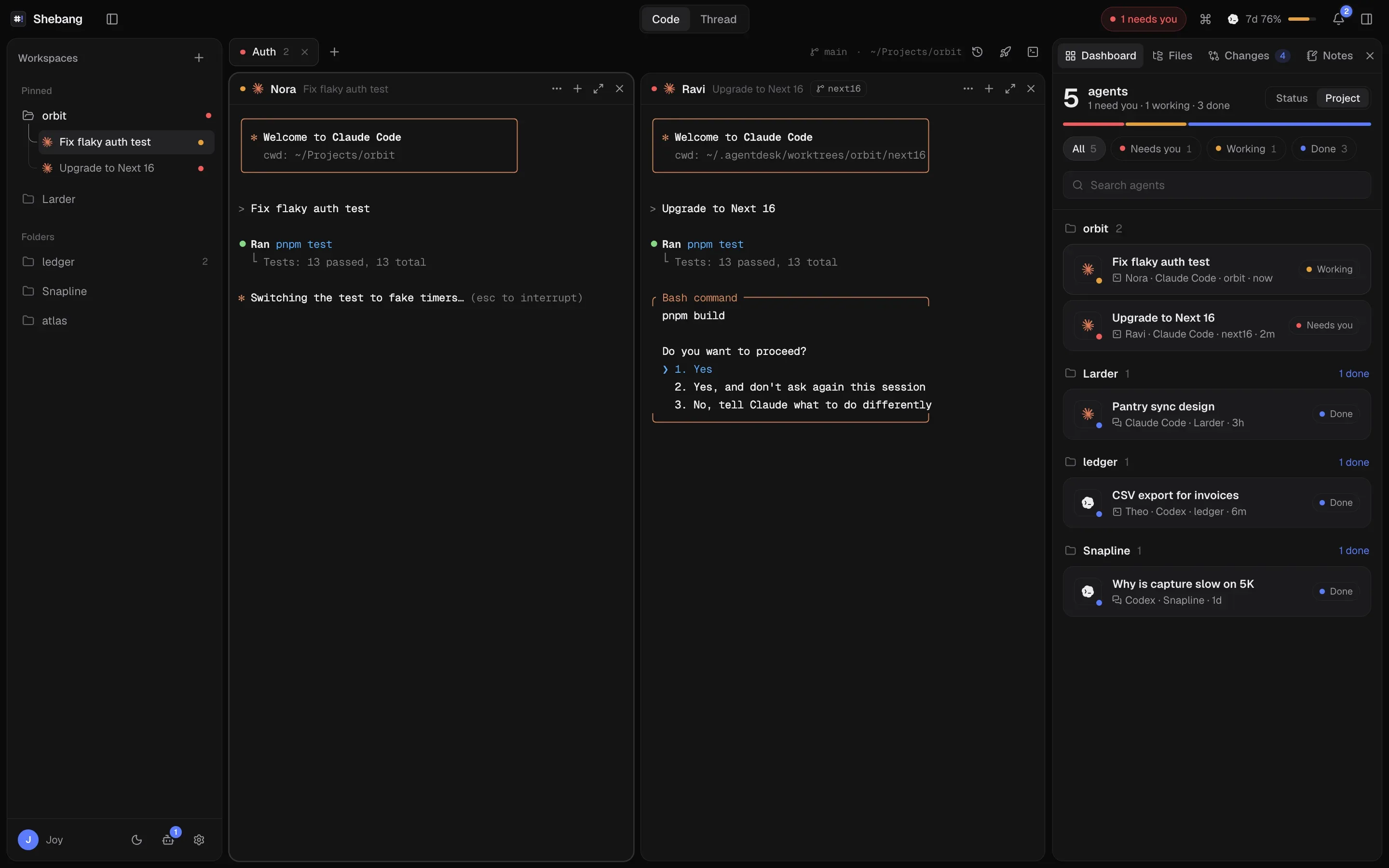
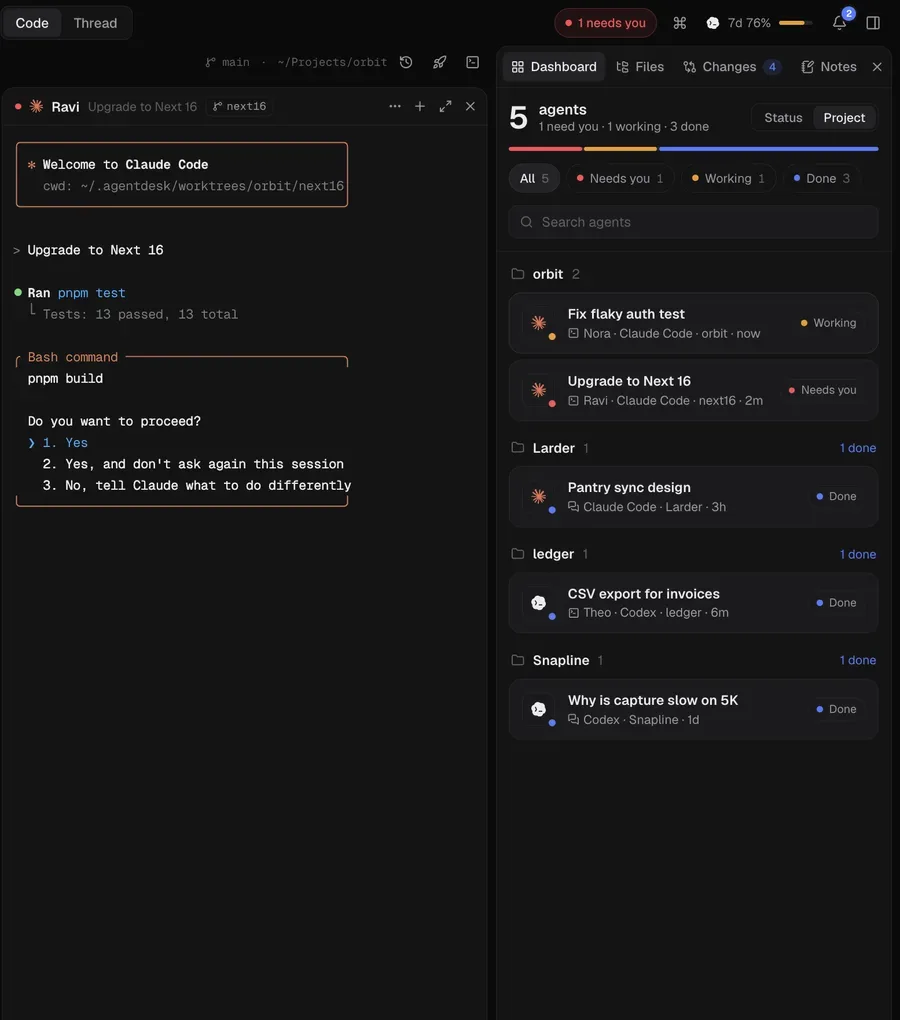
Tap the notification to jump to the next agent.Click a notification, or point at an agent, to see where it lives.
Works with the agent CLIs you already use and the plans you already pay for
- Claude Code
- Codex
- OpenCode
- Gemini CLI
Two marks, one job. The hash is your grid: every agent in a real terminal, on its own branch. The bang is the agent that needs you, the moment it does.
Real terminals. Every agent in its own pane.
Shebang runs the actual claude, codex, opencode and gemini CLIs side by side, and gives each one the things Terminal tabs never could.
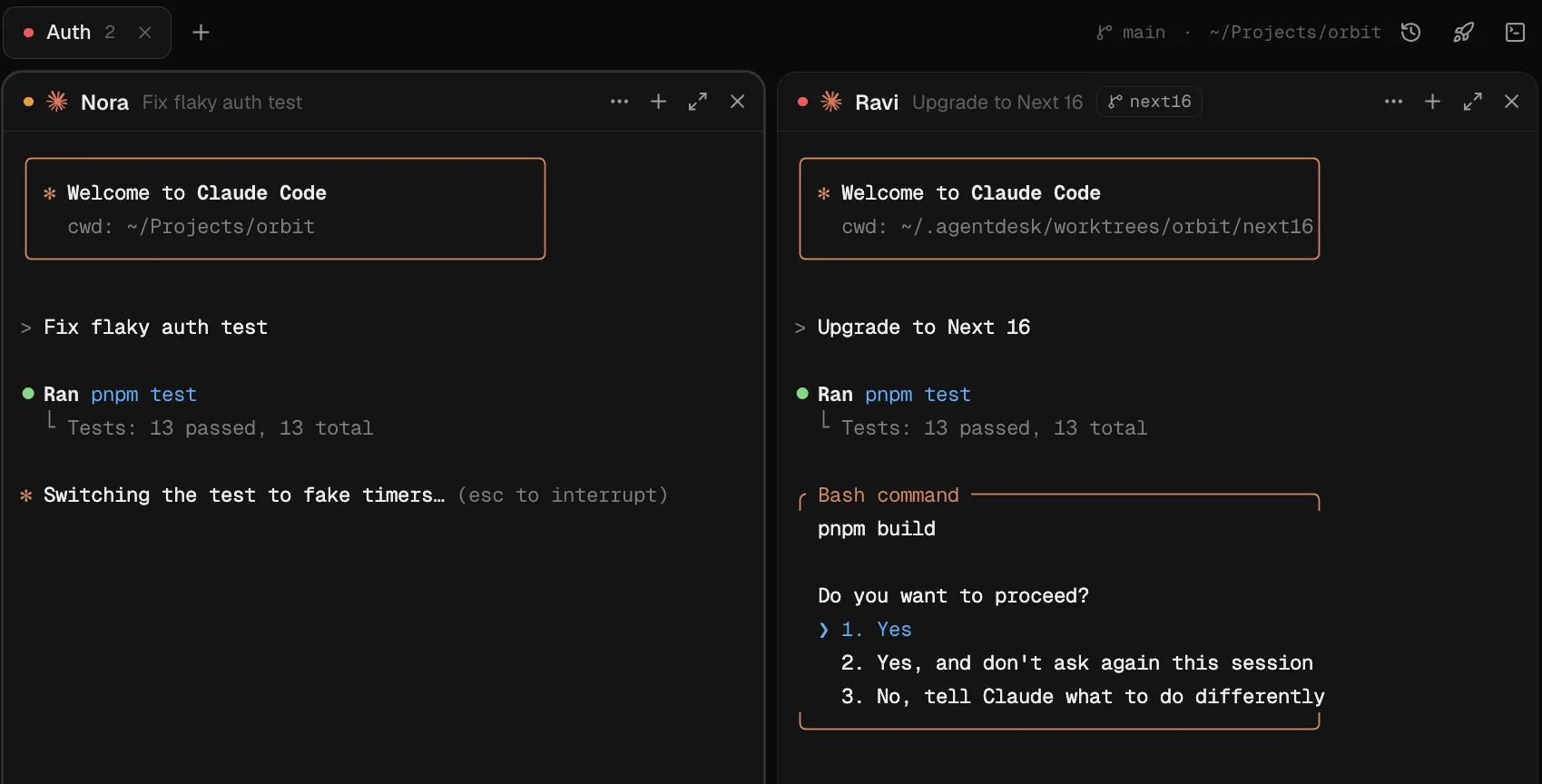
Presets up to 12 panes
Save a layout like Claude, Codex and a dev server, and launch it in one click.
Pick up where you left off
Restart a pane and it resumes the same conversation, or open any saved session.
Browser panes
Keep localhost open next to the agent that is building it.
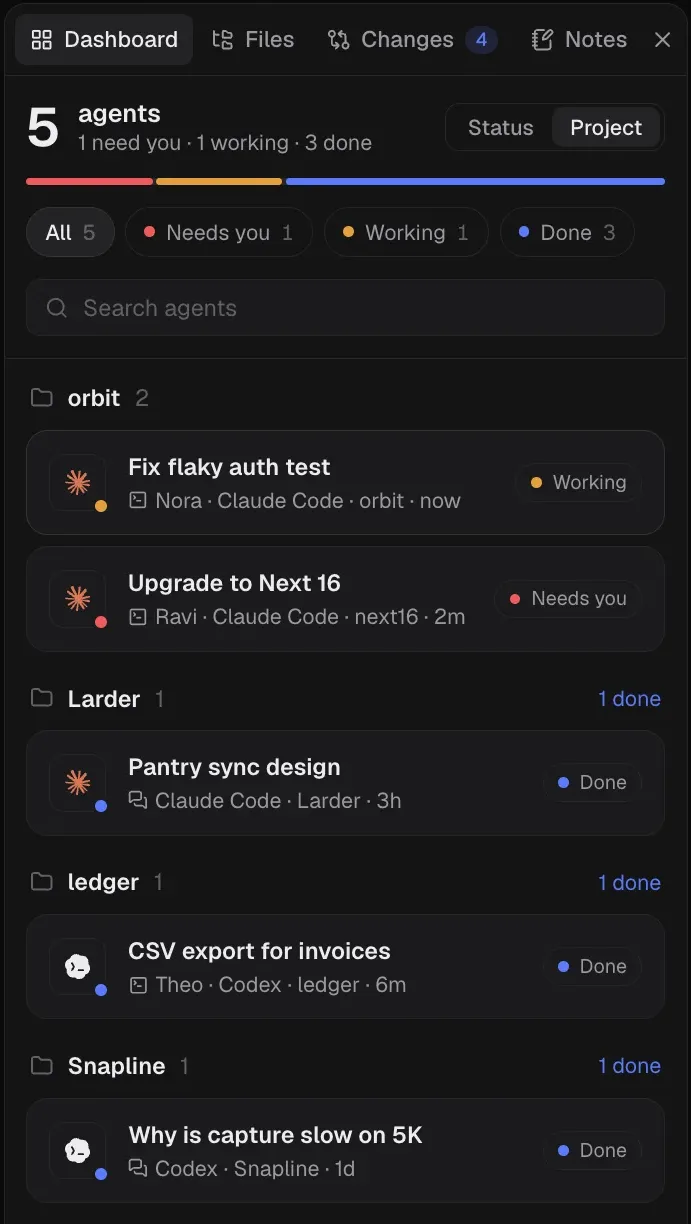
Know which agent needs you.
Every agent in every project, in one list, sorted by what it needs from you.
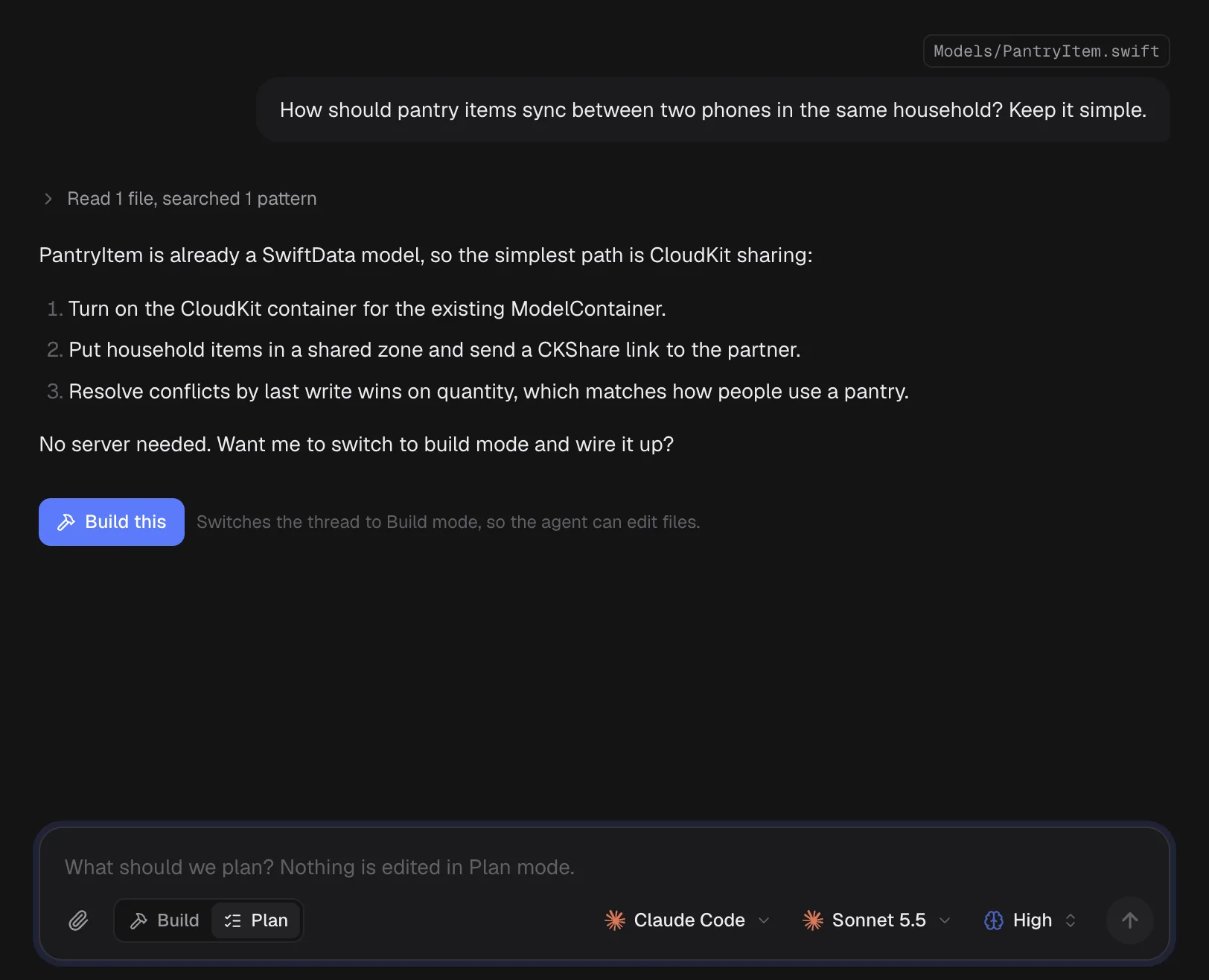
Plan first.
Build when it's right.
Threads put a clean chat on top of Claude Code or Codex. Plan mode reads your code without changing it. When the plan looks right, one click switches to Build.
- Mention files with @ or drag them in.
- Pick the model and reasoning effort per thread.
- Continue any thread in a terminal pane.
Review the work before it ships.
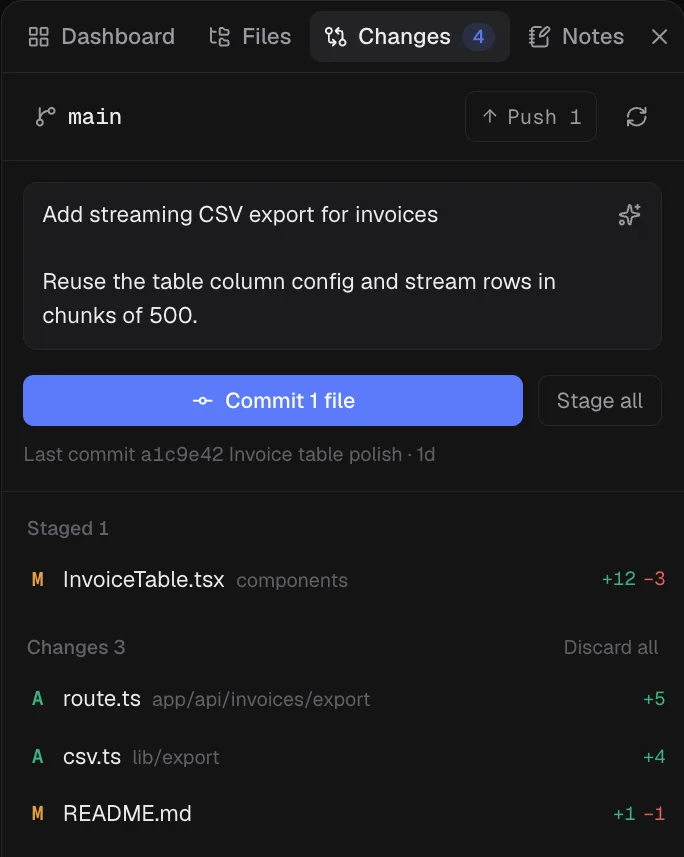
Every project's git status sits next to the agents changing it. Read what they did, keep what's right, and commit from the same window.
- Stage, unstage and see the diff of every file.
- Discard goes to the Trash, so nothing is lost.
- Let the agent draft the commit message.
- Push, pull and switch branches without leaving the window.
Your Mac. Your subscriptions. Shebang runs the CLIs you are already signed in to. No Shebang account, no proxy, no analytics. Your prompts, code and keys go only to your provider.
- Free during the beta
- You keep paying Anthropic or OpenAI for your own plan, as you do today.
- macOS 12 or later
- One universal app for Apple silicon and Intel, signed, notarized and self-updating.
- Installs the CLIs for you
- Missing Claude Code or Codex? Install and sign in from inside Shebang.
Questions
Why the name?
#! is the first line of a script: it says what runs the file. In the icon the hash is a grid of panes and the bang is the agent that needs you. That's the whole app.
What does the beta cost?
Nothing. Shebang is free during the beta. You keep using your own Claude or ChatGPT plan, exactly as you do today. If we add paid features later, beta testers hear about it first.
What do I need to run it?
A Mac on macOS 12 or later, Apple silicon or Intel, and at least one agent CLI: Claude Code, Codex, OpenCode or Gemini CLI. Shebang can install them and walk you through signing in.
Does Shebang send my code anywhere?
No. Shebang runs entirely on your Mac and has no analytics. Each agent talks to its own provider, the same way it does in Terminal.
Why not just use Terminal tabs?
You get the same CLIs, plus a worktree per agent, live status for each one, notifications when a turn ends, and git review in the same window.
When do I get access?
We're letting testers in in small batches. Join with your email and we'll send your invite and download link when your spot opens.
Get early access to Shebang.



 1
1